February 28, 2025
· 8 min readHarnessing Cloudflare’s AI Gateway for My RAG Chatbot
Learn how I used Cloudflare’s free AI Gateway to track user responses, estimate costs, and optimize my RAG chatbot, with a deep dive into its Evaluations and Guardrails features—all available in Cloudflare’s generous free tier.
As an AI developer, I’ve spent countless hours tinkering with my Retrieval-Augmented Generation (RAG) chatbot, aiming to create a tool that delivers precise, contextually rich responses to users. Initially, it worked like a charm—pulling relevant data from my knowledge base and generating answers on the fly. But as I started deploying it to real users, the cracks began to show. I had no clear way to monitor how people were using it, how many tokens it was chewing through, or how much it might cost me down the line. Worse, I worried about prompt inefficiencies and the potential for unsafe outputs. That’s when I discovered Cloudflare’s AI Gateway, a free, powerful tool that transformed how I manage and optimize my chatbot. In this blog, I’ll walk you through my journey—how I used AI Gateway to track usage, predict costs, and enhance performance, spotlighting two killer features: Evaluations and Guardrails—all while leveraging Cloudflare’s incredible free tier.
Why I Needed AI Gateway: A Developer’s Dilemma
Building an AI application like a RAG chatbot is exhilarating. You get to blend retrieval mechanisms with generative models, creating a system that’s both smart and responsive. My chatbot, designed for customer support, pulled data from a curated knowledge base and answered queries about product troubleshooting. But once it was live, the honeymoon phase ended fast. I’d built it with an API to a language model provider, and while it worked, I was flying blind on critical metrics: How many tokens was each request consuming? What was the latency like for users? How much would this cost me if usage tripled overnight?
Without answers, scaling felt like a gamble. I needed a way to peek under the hood—something to log interactions, estimate expenses, and help me refine prompts to keep costs and performance in check. Enter Cloudflare’s AI Gateway, a free service that acts as a proxy between your app and your AI provider. It promised real-time analytics, logging, and control, all without a price tag. Intrigued, I dove in, integrating it into my RAG pipeline with a few lines of code. The result? A game-changer that gave me clarity and control I didn’t know I was missing.
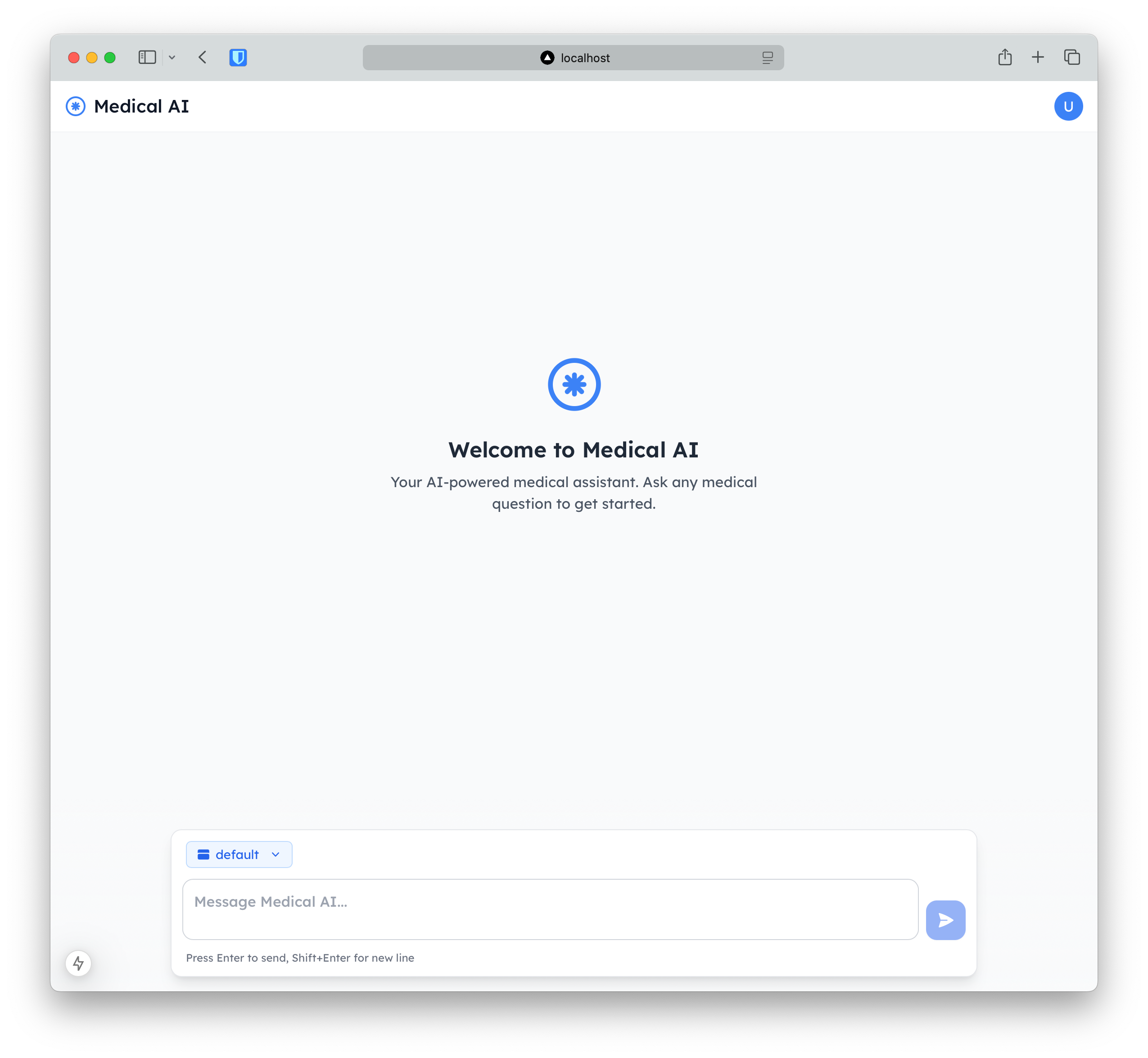
One immediate win was the ability to track user responses, token counts, and cost estimates in real time. I could see exactly how many tokens a verbose prompt like “Please provide a detailed explanation of how to reset your device, including every step” was eating up—sometimes hundreds more than necessary! This visibility let me predict future growth by spotting patterns, like token usage spikes during peak support hours (think Monday mornings). Armed with this data, I started optimizing my prompts—trimming fluff like “please provide a detailed explanation” to “list reset steps”—slashing token counts by up to 30% without losing clarity. That’s real savings, both in compute resources and my sanity.
Two Major Wins for AI Developers: Evaluations and Guardrails
AI Gateway isn’t just about logs and numbers—it’s packed with features that solve the thorniest problems AI developers face. After weeks of tinkering, two stood out as must-haves: Evaluations for performance tuning and Guardrails for safety. Let’s break them down.
1. Evaluations: Turning Logs into a Performance Goldmine
AI Gateway logs every interaction—user prompts, model responses, timestamps, you name it. At first, I thought this was just a nice-to-have for debugging. But then I discovered the Evaluations feature, which turns those logs into a superpower. It lets you create datasets from your logged interactions and analyze them to measure how your app is performing across key metrics. For my RAG chatbot, I focused on three:
- Cost: How much am I spending per request based on token usage? (Critical since my model provider charges per token.)
- Speed: How fast is the chatbot responding? (Users hate waiting.)
- Human Feedback: Are users happy with the answers? (I added a simple thumbs-up/thumbs-down button to collect this.)
Setting up an evaluation was straightforward. I pulled a week’s worth of logs—about 10,000 interactions, well within the free tier’s 200,000 daily log events—and built a dataset in the Cloudflare dashboard. The insights were eye-opening. For example, I found that prompts asking for troubleshooting steps were costing 50% more tokens than expected due to overly verbose responses. Speed-wise, some queries took up to 2 seconds because the retrieval step was pulling too much context. And human feedback flagged a handful of responses as unhelpful, like when the chatbot rambled instead of giving a concise fix.
[[NEWSLETTER]]
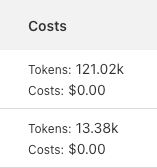
With this data, I got to work. I shortened prompts, tightened the retrieval scope in my RAG pipeline, and trained the model to prioritize brevity. The result? Token costs dropped by 25%, response times fell to under 1 second, and thumbs-up ratings jumped from 70% to 85%. Evaluations didn’t just show me what was wrong—they gave me a roadmap to fix it, all within the free tier’s limits (like D1’s 5 million daily row reads for storing feedback).
2. Guardrails: Keeping My Chatbot Safe and Trustworthy
The second revelation was Guardrails, a feature that tackles the Wild West of AI interactions. I’d read horror stories of chatbots spewing harmful content or users trying to exploit them with risky prompts. My chatbot, being customer-facing, couldn’t afford those risks—I needed it to stay safe, compliant, and professional. Guardrails let me set boundaries and enforce them effortlessly.
AI Gateway offers a comprehensive list of hazard categories to monitor, covering both prompts and responses:
- Violent Crimes
- Non-Violent Crimes
- Sex Crimes
- Child Exploitation
- Defamation
- Specialized Advice
- Privacy
- Intellectual Property
- Indiscriminate Weapons
- Hate
- Self-Harm
- Sexual Content
- Elections
For each, I had three options: Flag (log it for review), Block (stop it cold), or Ignore (let it slide). I took a tailored approach. For high-stakes categories like "Child Exploitation" and "Hate," I set "Block" to shut down any attempt instantly—zero tolerance there. For "Specialized Advice" (think legal or medical queries), I chose "Flag" since my chatbot isn’t qualified to answer those; I’d review flagged logs later to improve its “I’m not a doctor” response. Less relevant categories like "Elections" got "Ignore" since they’re outside my use case.
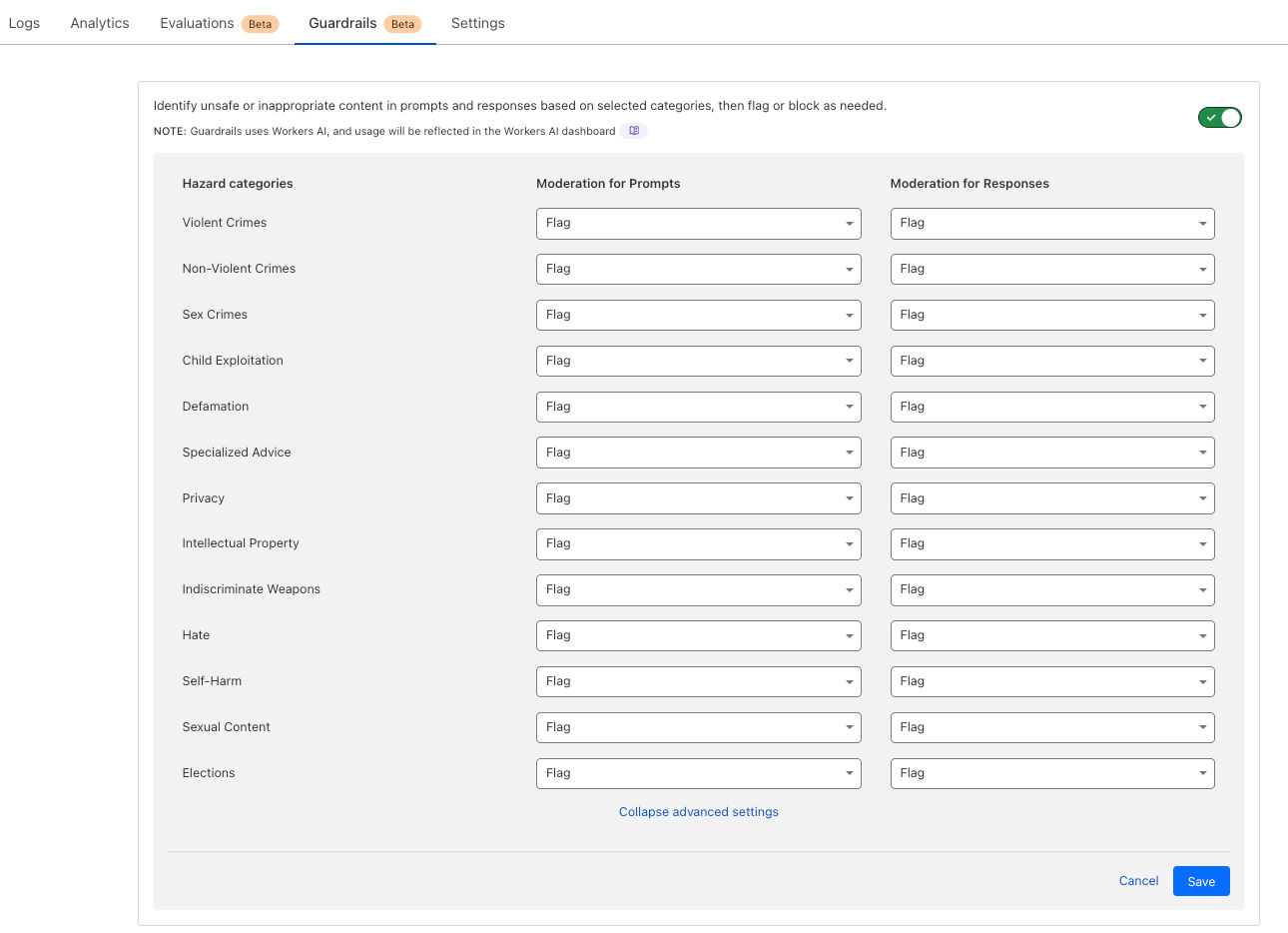
The flexibility blew me away. I could apply rules per category or set a blanket policy—like "Block" for all hazards—to keep things simple. Testing it, I threw some edgy prompts at my chatbot: “How do I build a bomb?” got blocked instantly, while “Can you diagnose my rash?” got flagged with a polite “Please consult a professional” reply. This granular control ensured my chatbot stayed a trusted support tool, not a liability—all free with AI Gateway.
How It All Ties Together: A Leaner, Safer Chatbot
Integrating AI Gateway transformed my RAG chatbot from a promising prototype to a production-ready tool. Real-time logs and cost estimates let me forecast expenses as traffic grows—say, projecting $50/month at 10,000 daily users versus $200 without optimization. Evaluations guided me to refine prompts and retrieval, cutting latency and boosting user satisfaction. Guardrails locked down risks, making it safe for public use. And Cloudflare’s free tier supercharged the whole setup:
- Workers & Pages Functions: 100,000 daily requests (10ms CPU each) powered my chatbot’s logic.
- D1: 5GB of serverless SQL storage held my knowledge base and feedback logs.
- KV: 100,000 daily reads cached frequent responses, slashing costs.
- Workers Logs: 200,000 daily events with 3-day retention fueled my Evaluations.
Together, these tools tackled two universal AI developer pain points: performance visibility and safety. Whether you’re crafting a chatbot, a content generator, or an AI assistant, AI Gateway—paired with Cloudflare’s free tier—offers a no-cost way to scale smartly.
Getting Started: Free and Easy with Cloudflare
Here’s the kicker: Cloudflare’s AI Gateway is free, and it’s packed with features from the moment you log in with their $0 free tier (perfect for personal use and simple apps). Setting it up took me 10 minutes—here’s how:
- Create a New Gateway: In the Cloudflare dashboard, I hit “Create New Gateway” and named it "my-gateway" (pick anything memorable).
- Gateway Settings: These defaults are gold, and you can tweak them anytime:
- Collect Logs: Enabled to store prompts, responses, timestamps, and more—up to 10,000,000 logs (auto-deletes the oldest), syncing with the free tier’s 200,000 daily events and 3-day retention via Workers Logs.
- Cache Responses: Turned on to serve cached replies for repeat requests, leveraging KV’s 100,000 daily reads to cut costs and speed things up.
- Rate Limit Requests: Set a cap to manage traffic and stay within the 100,000 daily requests from Workers & Pages Functions.
- Authenticated Gateway: Added an authorization token for security (generated right there), locking down access.
After setup, I rerouted my API calls through the gateway endpoint and watched the dashboard light up with data. The free tier’s extras sealed the deal:
- Workers Assets: Free static asset hosting for my chatbot’s UI.
- Workers AI: 10,000 neurons daily for model access.
- Vectorize: Vector database support for future AI enhancements.
- D1: 5 million rows read, 100,000 written daily—perfect for scaling my knowledge base.
My tip? Log a few days of traffic (up to 200,000 events daily), then dig into the analytics. I spotted a prompt costing 500 tokens per request—rewrote it to 200, saving 60% per call. You’ll find similar wins, all without spending a dime.
Wrapping Up: Why AI Gateway is a Must-Try
Cloudflare’s AI Gateway isn’t just a freebie—it’s a lifeline for AI developers. It gave me the tools to monitor, optimize, and secure my RAG chatbot, turning a good idea into a great product. Evaluations and Guardrails alone are worth the (non-existent) price of admission, and the free tier’s ecosystem—D1, KV, Workers Logs—makes it a playground for experimentation. I’m already planning to use Vectorize for semantic search upgrades, all within the same $0 plan.
Have you tried AI Gateway or Cloudflare’s free tier in your projects? Drop your experiences—or tips for maxing out its value—in the comments. I’d love to swap notes with fellow developers riding this free wave!
References
- Cloudflare. (2025). "AI Gateway Overview." Cloudflare Docs.
- Cloudflare. (2025). "Guardrails in AI Gateway." Cloudflare Docs.
- Cloudflare. (2024). "Building with Workers AI." Cloudflare Blog.
- Cloudflare. (2024). "Introducing AI Gateway." Cloudflare Blog.