April 9, 2026
· 11 min readClaude Code Leaked: What 512,000 Lines of TypeScript Taught the World About AI Agents
On March 31, 2026, Anthropic accidentally shipped the full Claude Code source — 512,000 lines of TypeScript — inside an npm package. The resulting clean-room rewrite became the fastest-growing GitHub repo in history. Here's exactly what the architecture reveals, and what you can take from it as an engineer.
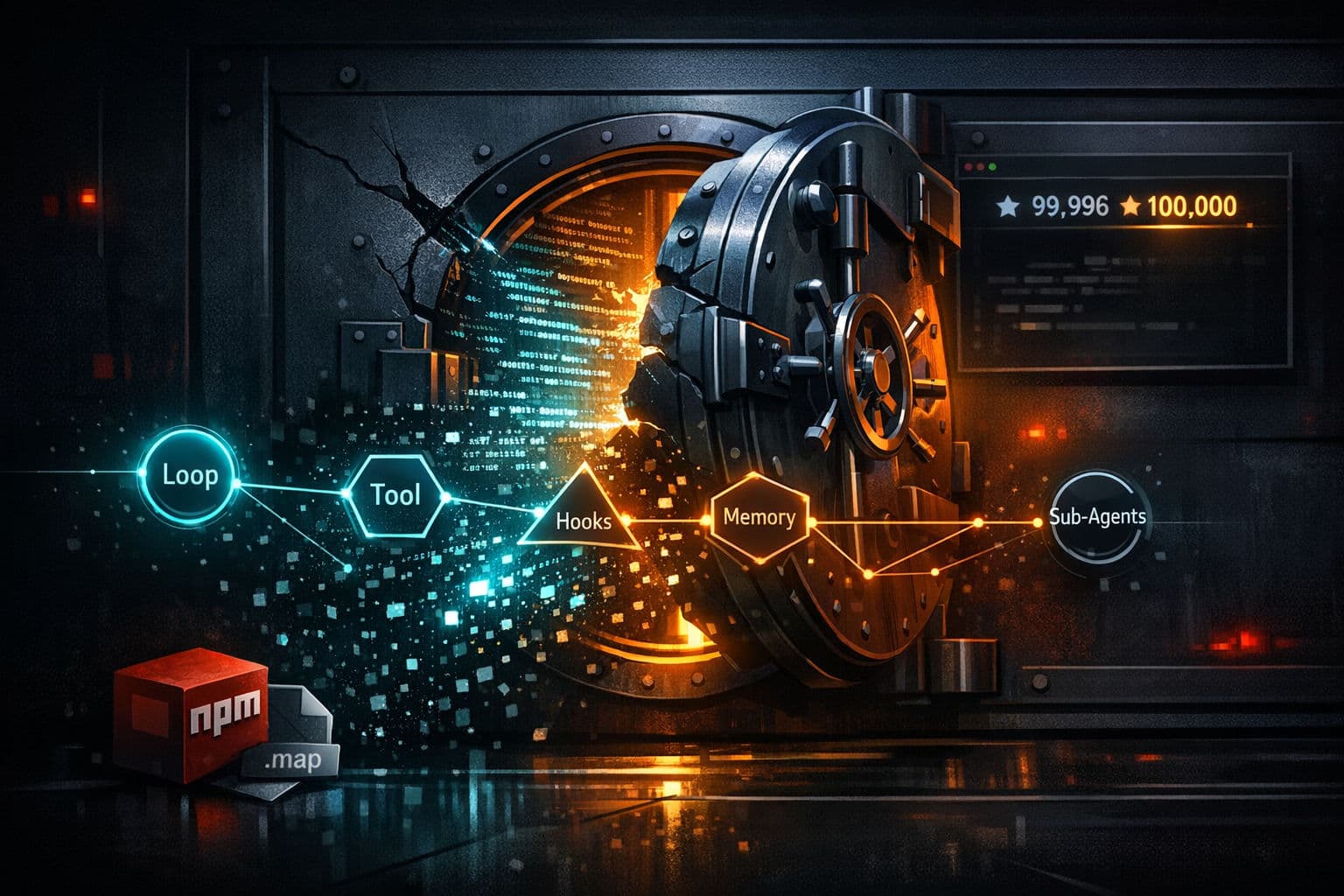
On March 31, 2026, a single missing line in a config file made AI engineering history. Security researcher Chaofan Shou discovered that the entire source code of Anthropic's flagship AI coding agent — Claude Code — was sitting in plain sight inside a public npm package. No hack. No breach. Just a 59.8 MB source map that should have never shipped. Within 24 hours, a clean-room rewrite had crossed 100,000 GitHub stars — the fastest any repository has ever reached that milestone in GitHub's history.
What the community found inside is worth every engineer's attention — not because of the drama, but because of the architecture.
TL;DR
- On March 31, 2026, Anthropic accidentally exposed 512,000 lines of TypeScript via a source map file shipped in the
@anthropic-ai/claude-codenpm package - A known Bun bug (#28001) filed 20 days earlier — never fixed — was the root cause
- Developer Sigrid Jin rewrote the core in Python, then Rust; the repo (claw-code) became the fastest-growing in GitHub history
- The architecture is not magic: an agent loop + tool registry + hooks middleware + memory compaction + sub-agents + context loading
- Malicious repos disguised as the leak were distributing Vidar infostealer malware — do not run unverified forks
- Every design pattern inside maps 1:1 to concepts you already know from distributed systems
How The Leak Actually Happened
Claude Code is Anthropic's CLI coding agent, built in TypeScript on top of Bun — a JavaScript runtime Anthropic acquired in late 2025. When you publish a Node.js or Bun application, the TypeScript source gets compiled and bundled into JavaScript. Source maps are debugging files that map that compiled JavaScript back to the original TypeScript. They're essential during development. They should never ship to production.
A known bug in Bun (issue #28001) causes source maps to be generated in production builds by default, even when configuration says they should be excluded. The bug was filed on March 11. It sat open and unaddressed. On March 31, the Claude Code release pipeline — which contained a manual deploy step — packaged those source maps right into the published npm package.
Anyone who ran npm install @anthropic-ai/claude-code had the full original TypeScript in their local directory. No decompilation, no reverse engineering. Just open the folder.
⚠️ This was the second time it happened. A nearly identical source map leak occurred on Claude Code's original launch day in February 2025. Anthropic pulled it within 2 hours. The automated safeguard was never built. Thirteen months later, same vector, 512,000 lines.
Anthropic confirmed it publicly: "a release packaging issue caused by human error, not a security breach." Boris Cherny, head of Claude Code, said no customer data or credentials were exposed.
What's Inside: The Core Architecture
The TypeScript source revealed that Claude Code is built on five interlocking components. None of them are novel in isolation. Together, they form a production-grade agentic system.
The Agent Loop
This is the foundation. Instead of calling the model once and returning an answer, Claude Code runs a continuous loop. Here's the skeleton in pseudocode:
async function agentLoop(task: string, tools: Tool[]): Promise<void> {
  let history: Message[] = [{ role: "user", content: task }];

  while (true) {
    // Ask the model what to do next
    const response = await model.complete({ messages: history, tools });

    // If no tool call, the task is done
    if (!response.toolCall) {
      console.log(response.text);
      break;
    }

    // Pass through hooks (before)
    const checkedInput = await hooks.beforeTool(response.toolCall);

    // Execute the chosen tool
    const result = await toolRegistry.run(checkedInput);

    // Pass through hooks (after)
    const checkedResult = await hooks.afterTool(result);

    // Add to history and loop again
    history.push({ role: "assistant", content: response });
    history.push({ role: "tool", content: checkedResult });
  }
}
Breaking it down:
- The model never directly touches files or shells — it makes a request, the tool executes it
- The loop continues until the model decides no more tool calls are needed
- Every iteration adds to a history that the model reads on the next step
The pattern is exactly a task queue worker. The model is the scheduler. Tools are the workers.
The Tool Registry
The original TypeScript source ships with over 40 tools. Each tool has a name, a description written in plain English, and an input schema. The model reads the description and decides which tool fits the current step.
const bashTool: Tool = {
  name: "bash",
  description: "Run a shell command and return stdout/stderr. Use for compiling, running tests, installing packages.",
  input_schema: {
    type: "object",
    properties: {
      command: { type: "string", description: "The shell command to run" },
      timeout: { type: "number", description: "Max seconds to wait" }
    },
    required: ["command"]
  },
  execute: async ({ command, timeout }) => {
    return await shell.run(command, { timeout });
  }
};
Some of the tools found in the leaked source:
| Tool | What it does |
|---|---|
bash |
Runs shell commands |
read_file |
Reads file contents |
write_file |
Writes or edits files |
web_search |
Searches the web |
grep |
Pattern-matches across a codebase |
agent_tool |
Spawns a sub-agent |
mcp_* |
Connects to MCP servers (6 transport types) |
The key design principle: separation of concerns. The model handles reasoning. The tool layer handles execution. This boundary is enforced at the architectural level.
Hooks: Middleware for Every Tool Call
Before any tool runs, it passes through a hooks layer. After it runs, the result passes through again. Think of it exactly like Express.js middleware — every request and response runs through your pipeline.
const hooks = {
  beforeTool: async (toolCall: ToolCall): Promise<ToolCall> => {
    // Log the incoming call
    logger.info(`Tool called: ${toolCall.name}`, toolCall.input);

    // Block dangerous commands
    if (toolCall.name === "bash" && isDangerous(toolCall.input.command)) {
      throw new SafetyError(`Blocked: ${toolCall.input.command}`);
    }

    // Modify input if needed (e.g., enforce path sandboxing)
    return sanitize(toolCall);
  },

  afterTool: async (result: ToolResult): Promise<ToolResult> => {
    // Inspect or filter the result before it goes back to the model
    return filterSensitiveData(result);
  }
};
This is how you build safety and observability into an agent. You don't trust every tool call the model generates. Hooks let you intercept, inspect, and stop anything before it executes.
💡 Tip: If you're building your own agent, hooks are the single most important pattern to implement first. Without them, you're flying blind.
Memory: Session History + Compaction
Agents working on long tasks accumulate massive conversation histories. The model has a finite context window. Claude Code handles this with a compaction step:
async function maybeCompact(history: Message[]): Promise<Message[]> {
  const tokenCount = countTokens(history);

  if (tokenCount < COMPACTION_THRESHOLD) {
    return history; // still fits, do nothing
  }

  // Summarize everything that's happened so far
  const summary = await model.summarize(history);

  // Replace full history with the compressed version
  return [
    { role: "system", content: `Previous session summary:\n${summary}` },
    ...history.slice(-RECENT_WINDOW) // keep the last N messages verbatim
  ];
}
The agent retains continuity without blowing the context window. It's the same principle as log rotation — keep a compressed record, discard the raw bulk.
The leaked source also revealed a background service called autoDream (src/services/autoDream/) — a background sub-agent that runs during idle time to consolidate memory, prune stale context, and update a durable MEMORY.md file.
Context Loading: CLAUDE.md and Skills
Before the agent loop even starts, Claude Code loads two things:
1. CLAUDE.md — A markdown file in your project root. The agent reads it first and carries those conventions throughout the session. Think of it as an onboarding document written for the AI:
# Project Conventions

- All API routes live in /src/routes
- Use Zod for all input validation — never trust raw req.body
- Write tests before implementation (TDD)
- Never commit directly to main — always create a feature branch
- Prefer PostgreSQL transactions over application-level locking
2. Skills — Reusable instruction sets for specific task types. Code review workflows, documentation patterns, security scanning checklists — pre-packaged behaviors the agent can pull from the skills registry when a task matches.
The Rust port of Claude Code reads these from local SKILL.md files in your project directory, making them portable and version-controllable.
Sub-Agents: Distributed Work Without the Complexity
When a task is too large for a single thread of execution, the main agent breaks it into pieces and delegates each piece to a sub-agent — a separate agent loop focused on one specific thing.
The elegant part: spawning a sub-agent is just another tool call. The orchestrator calls agent_tool the same way it calls bash_tool. The system stays consistent all the way down.
// The orchestrator calling agent_tool — same interface as any other tool
const reviewResult = await toolRegistry.run({
  name: "agent_tool",
  input: {
    task: "Review the authentication module for security issues",
    tools: ["read_file", "grep", "web_search"],
    context: projectContext
  }
});
This is a distributed system expressed as a tool call. Orchestrator → Workers → Coordination through a clean interface. You've seen this pattern in Celery, BullMQ, and AWS Step Functions. The difference is the workers are LLM-powered loops, not static functions.
What Else Was Inside
Beyond the core architecture, the community found several unreleased features in the 44 feature flags embedded in the source:
KAIROS — An autonomous daemon mode. Claude Code running unattended on 5-minute cron cycles, listening to GitHub webhooks, acting without waiting for user input.
ULTRAPLAN — Offloads complex planning tasks to a remote Opus session for up to 30 minutes of deep, uninterrupted reasoning.
Undercover Mode (src/utils/undercover.ts) — Prevents the agent from leaking internal Anthropic codenames (like "Tengu" and "Capybara") when contributing to public repositories.
autoDream — Background memory consolidation during idle periods. The agent literally "dreams" to stay oriented across long sessions.
The Architecture Map: Patterns You Already Know
Every component in Claude Code maps directly to something from traditional distributed systems:
| Claude Code Component | Distributed Systems Equivalent |
|---|---|
| Agent loop | Task queue worker |
| Tool registry | Service interface / RPC layer |
| Hooks | HTTP middleware (Express, Laravel) |
| Memory compaction | Log rotation |
| Sub-agents | Worker nodes / Celery tasks |
| CLAUDE.md | Application config / .env |
| Skills registry | Reusable workflow templates |
None of this is magic. It's a well-understood architecture applied to a new runtime: the LLM.
The Legal and Security Fallout
DMCA and the AI Copyright Paradox
Anthropic filed DMCA takedowns on direct mirrors, and GitHub reportedly disabled over 8,100 repositories. But the clean-room rewrite strategy — reading the architecture and reimplementing it independently — likely sits outside DMCA reach.
There's an uncomfortable twist: Boris Cherny has stated that 100% of his recent contributions to Claude Code were written by Claude Code itself. Under the March 2025 DC Circuit ruling, AI-generated work doesn't carry automatic copyright. If the code was written by Claude, Anthropic's DMCA claim may be legally murky — and arguing otherwise could undermine their own defense in AI training data cases.
Malware Warning
Zscaler's ThreatLabz researchers confirmed that malicious repositories disguised as the leaked Claude Code were actively distributing Vidar v18.7 (credential stealer) and GhostSocks (network proxy malware). The dropper was named ClaudeCode_x64.exe. The Register reported that one malicious repo had 793 forks and 564 stars before removal.
⚠️ Warning: Do not download, build, or run any repository claiming to be the leaked Claude Code unless you have thoroughly audited every line. Verify against Anthropic's official channels only.
Production Checklist: What This Architecture Teaches You
If you're building your own agent system, here's what the Claude Code source makes obvious:
- Implement hooks first — every tool call should be interceptable before you ship anything
- Separate thinking from doing — the model reasons, tools act; never let the model execute directly
- Build compaction into your memory system — token limits will kill long-running agents without it
- Make sub-agent spawning a first-class tool — the orchestrator/worker pattern scales; ad-hoc delegation doesn't
- Ship a CLAUDE.md equivalent — agents need project context before they start, not mid-task
- Never ship source maps to production — add
*.mapto.npmignoreand verify the published package post-publish - Treat every trending GitHub repo as a threat surface — especially ones promising "unlocked" features
Conclusion
The Claude Code leak is the most educational ops failure in recent AI history. In 24 hours, the community went from zero knowledge of Anthropic's internal architecture to a working Rust implementation with 100,000+ stars. What they found wasn't alien technology. It was an agent loop, a tool registry, a hooks layer, memory compaction, sub-agent orchestration, and project-level context loading — patterns every experienced backend engineer recognizes immediately.
The models are the moat. The harness is engineering. Understanding how the harness works — how agents loop, how tools are wired, how memory gets managed, how sub-agents coordinate — is the new distributed systems literacy. Start with the agent loop. Add one tool. Wire up a hooks checkpoint. That's 80% of what's running under the hood of the world's most starred AI coding agent. And now you know exactly how it's built.
FAQ
How did Claude Code source code get leaked?
A missing .npmignore entry in the @anthropic-ai/claude-code npm package caused a 59.8 MB source map containing 512,000 lines of TypeScript to ship publicly. The root cause was a known bug in Bun (#28001) that generates source maps in production by default. The bug had been open for 20 days before the leak.
What is claw-code?
Claw-code is a clean-room rewrite of Claude Code created by developer Sigrid Jin (@realsigridjin), initially in Python using OpenAI's Codex, then ported to Rust. It became the fastest-growing GitHub repository in history, hitting 100,000 stars in under 24 hours.
What is an agent loop in Claude Code?
The agent loop is the core runtime: instead of calling the LLM once, it runs a continuous loop where the model decides a tool to call, the tool executes, the result feeds back in, and the model decides the next step — until the task is complete.
What are hooks in Claude Code?
Hooks are a middleware checkpoint that intercepts every tool call — before and after execution. They let you inspect, modify, or block what the agent is about to do, giving you safety and observability over every action.
What is KAIROS in Claude Code?
KAIROS is an unreleased autonomous daemon feature found in the leaked source — an always-on background agent that watches GitHub webhooks and scheduled cron tasks every 5 minutes, acting without waiting for user input.
Is it safe to download the leaked Claude Code from GitHub?
No. Security researchers at Zscaler and Bleeping Computer confirmed that malicious GitHub repositories disguised as leaked Claude Code were actively distributing Vidar infostealer and GhostSocks malware. Never run code from unverified sources claiming to be the leak.
What is CLOUDMD and why does it matter?
CLAUDE.md is a project-level configuration file that Claude Code reads before starting any task. It contains your coding conventions, folder structure, preferences, and rules — think of it as onboarding documentation written specifically for the agent.