August 18, 2026
· 6 min readBuilding Enterprise AI Agents on Google Cloud: Identity, Traces, and Trust
Deploying AI agents isn't just about code—it's about identity, audit trails, security, and memory. This post breaks down Google's Gemini Enterprise Agent Platform and the four critical systems you need for production-ready agents.
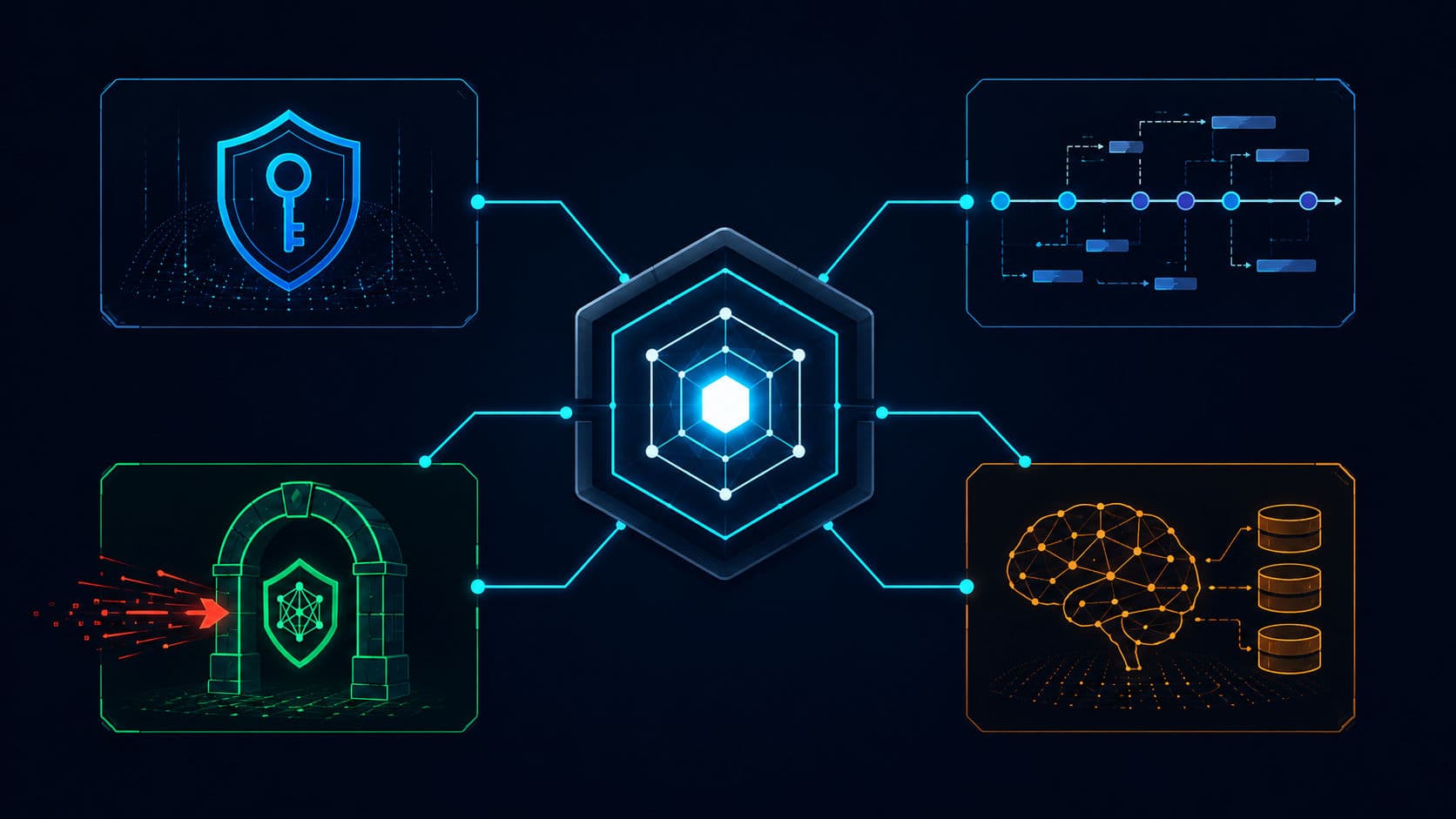
If you've been building AI agents on your laptop, you've probably seen how easy it is to connect an LLM to a few tools and get something that works. But when you try to turn that prototype into something a real company can use—something that runs as a service, other systems depend on, and nobody is watching every step—you hit a wall. That wall isn't about the agent's core logic. It's about the four invisible systems that turn a demo into a governed production asset: identity, audit trails, security, and memory.
This post breaks down those four systems using Google's Gemini Enterprise Agent Platform as a case study. You'll learn what each system solves, why it matters, and how to implement it—whether you're on Google Cloud or another platform.
TL;DR
- Give your agent a cryptographic identity (SPIFFE) so you can trace and secure its actions.
- Enable OpenTelemetry tracing to get a full audit trail of every tool call and model invocation.
- Defense-in-depth: use an agent gateway for network policies and Model Armor to block prompt injection.
- Implement a Memory Bank so agents retain context across sessions without rebuilding context from scratch.
- Choose your model wisely: Flash for responsiveness, Pro for reasoning—it changes the user experience.
Why Deploying Agents Is Harder Than Building Them
The video opens with a clear distinction: there's a real difference between using an agent and deploying one as a service.
When you're using an agent—say, in a chat interface or a local prototype—you're still the one driving it. The agent runs in your session, with your context, and any mistakes are contained.
But when you deploy an agent as a service, it runs independently. Other people and systems depend on it. Nobody is watching every step it takes. That changes the requirements dramatically.
The speaker learned this the hard way by deploying a simple support agent to Google Cloud's Gemini Enterprise Agent Platform. The agent worked perfectly on his laptop. In production, four problems appeared immediately:
- No clear identity — couldn't prove which agent was making calls
- No audit trail — couldn't see how the run unfolded
- Totally vulnerable to prompt injection — hidden instructions in tickets became part of the prompt
- Forgot everything between sessions — no memory of user preferences or project context
These aren't edge cases. They're the four pillars you need for any agent that runs as a governed service.
How Google Cloud Solves Identity
The first problem was identity. Locally, it doesn't matter which piece of code is making a call to your database. In production, it's a real security and governance issue.
The solution is agent identity based on the SPIFFE standard. When you enable it at deployment, the agent gets its own cryptographic identity instead of being an anonymous piece of code making calls on your systems.
This works with an auth manager behind the scenes, so each access token is short-lived, scoped, and secure. You don't have to worry about your secrets getting leaked because the agent can only access what its identity allows.
💡 Tip: Agent identity gives you both security (least-privilege access) and governance (you can trace actions back to a specific agent).
How Google Cloud Solves Audit Trails
Identity tells you who acted. It doesn't tell you how the run unfolded—which model and tool calls happened, how long each step took, or where something failed.
For that, you need tracing. The platform integrates with OpenTelemetry to send trace data into Cloud Trace.
Now, every agent run becomes a timeline: you can see exactly what happened during that run, combined with identity to know which agent made the request and what it did.
This turns debugging from guesswork into a deterministic process. You can see if an agent called the wrong tool, took too long on a retrieval step, or failed silently on a third-party API.
How Google Cloud Solves Prompt Injection
The third problem was the most insidious: prompt injection. The speaker handed the agent a support ticket containing a hidden instruction telling it to send internal data to an outside address.
Without protection, that ticket content became part of the prompt, and the agent treated the hidden instruction like part of its actual task—exfiltrating data without anyone noticing.
The defense is layered:
- Agent Gateway — routes traffic through a controlled point where you can enforce network policies (least privileged access).
- Model Armor — configured to detect and block prompt injection and sensitive data leakage before it reaches your LLM.
With Model Armor in place, the same hidden instruction is detected and blocked. If something gets through, least-privileged network access via the gateway still contains the blast radius.
⚠️ Warning: Never rely on just one layer. Prompt injection requires defense-in-depth: gateway + model-level protection + network segmentation.
How Google Cloud Solves Cross-Session Memory
The fourth problem was memory. By default, agents forget everything when a session closes—no memory of user preferences, no memory of the project, nothing carried forward.
This makes agents feel brittle and unintelligent in real use. You can't build a relationship with an agent that doesn't remember you.
The solution is a Memory Bank. It generates and stores long-term memories from past conversations so the agent doesn't start from zero every time a new session opens.
It's more cost-effective than building your own database-and-intelligence system, and it includes baked-in smarts for what context to retain and how to surface it.
Once the agent was live on Agent Runtime, it turned out to already be set up in the Agent Registry automatically. But an automatic entry with a blank description isn't useful during a security review. So, they added a clear description and verified its version, runtime, and endpoint—now the agent shows up as something a real team can discover and govern.
Production Checklist
Before you deploy your agent as a service, verify these four systems are in place:
- Agent Identity — Enable SPIFFE-based identity so each agent has a verifiable, scoped identity for accessing your infrastructure.
- Distributed Tracing — Configure OpenTelemetry to capture every tool call, model invocation, and external request in a trace.
- Prompt Injection Defense — Deploy an agent gateway for network policies and configure Model Armor (or equivalent) to detect and block malicious prompts.
- Persistent Memory — Implement a Memory Bank or equivalent system so agents retain useful context across sessions without rebuilding from scratch.
Conclusion
I consider an agent "production-ready" only when it has these four systems: identity for accountability, traces for observability, defense-in-depth for security, and memory for usability. Without them, you're not deploying a service—you're running a fancy demo that happens to be on cloud infrastructure.
The Gemini Enterprise Agent Platform gives you these systems out of the box, but the patterns apply anywhere. Whether you're on AWS, Azure, or self-hosted, your agents need identity, traces, security gates, and memory to be more than just a local prototype.
Start with identity and tracing—they give you the foundation to see what your agents are actually doing. Then layer on security and memory to make them trustworthy and usable in real workflows.
Your code will thank you. Actually, your users will—because they'll finally get an agent that works consistently, securely, and intelligently over time.
FAQ
What's the difference between using an AI agent and deploying one as a service?
Using an agent means you're driving it—it runs in your session with your context. Deploying an agent as a service means it runs independently, other systems depend on it, and it needs its own identity, security, and observability.
Why is agent identity important in production?
Without cryptographic identity, you can't tell which agent made which system calls. Agent identity based on SPIFFE gives each agent its own verifiable identity for secure, scoped access to your infrastructure.
How do you prevent prompt injection in deployed AI agents?
Use a layered defense: route traffic through an agent gateway for network policies, and use Model Armor to detect and block prompt injection and sensitive data leakage before it reaches your LLM.
What is the Memory Bank pattern for AI agents?
Memory Bank generates and stores long-term memories from past conversations so agents don't start from zero each session. It's more cost-effective than building your own and includes baked-in intelligence for context retention.