May 22, 2026
· 10 min readReBAC Explained: How GitHub Decides Who Can Touch Your Repo
Roles work until your app grows hierarchies, then you drown in role explosion and token bloat. Relationship-Based Access Control (ReBAC) answers 'can this user do this?' by walking a graph of relationships instead. This post explains ReBAC using GitHub's permission model as the main example, then covers Google Zanzibar — which manages over 2 trillion relationship tuples at 10 million queries per second.
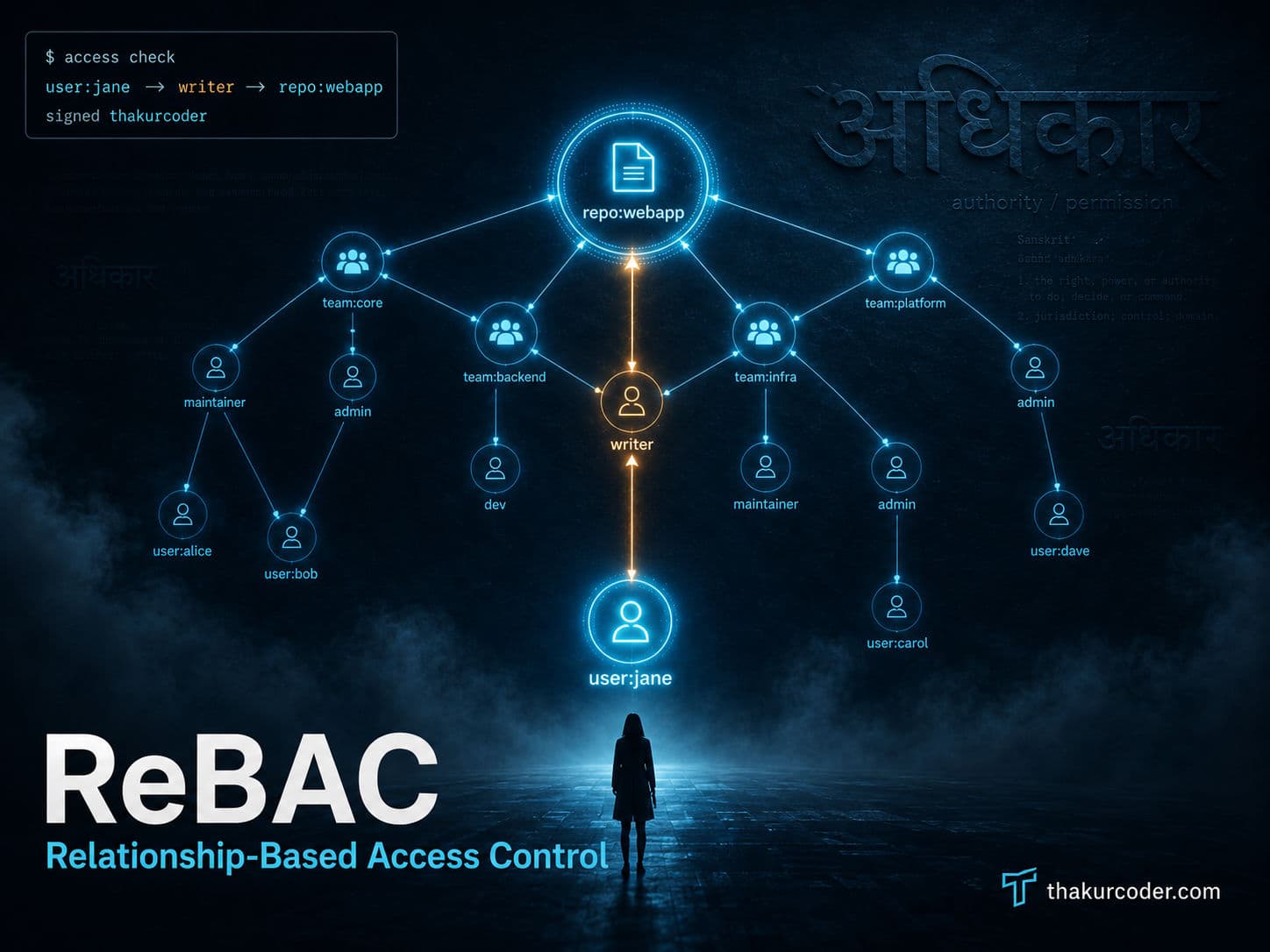
TL;DR
- RBAC ("you are an Admin") and ABAC ("access only between 9–5") both break down once your app grows real hierarchies — orgs, teams, folders, parent-child resources.
- ReBAC answers "can this user do this?" by walking a graph of relationships instead of checking a flat role list. The unit of storage is a relationship tuple:
subject → relation → object. - The cleanest mental model is GitHub: an org owns repos, repos contain issues, teams nest inside teams, and your access to a repo can come from five different paths. ReBAC handles all of them with one model.
- Google productionized this at planetary scale with Zanzibar — over 2 trillion relationship tuples, 10M+ queries/sec, p95 under 10ms. Source: Zanzibar paper (USENIX ATC '19)
- The catch: graph traversal can get expensive, and you inherit the dual-write problem. ReBAC is powerful, not free.
Why ReBAC matters
Most apps start with roles. You hardcode Admin, Editor, Viewer, slap a role on each user, and ship. It works beautifully — right up until the product manager says "actually, a user should be able to edit their own documents, view documents shared with their team, and admin documents in projects they own."
Suddenly one global Editor role isn't enough. So you make ProjectEditor, TeamEditor, OwnDocumentEditor, BillingEditor... and now you have a problem with a name: role explosion. Every new business rule spawns a new role, and your auth table turns into a combinatorial mess.
It gets worse when those roles end up in a JWT. Every role the user holds gets stuffed into the token, and the token balloons in size — token bloat — until you're shipping kilobytes of claims on every single request just to answer one yes/no question.
Here's the thing both problems share: roles are global and contextless. "Editor" doesn't know which repo, which folder, which team. The real-world question is never "is this user an editor?" — it's "is this user an editor of this specific thing?"
That "of this specific thing" is a relationship. And that's the whole idea behind ReBAC.
How ReBAC works: the relationship tuple
ReBAC throws out the flat role list and stores access as relationship tuples — tiny facts shaped like a triple:
subject  →  relation  →  object
user:jane   maintainer    repo:webapp
Read it out loud: "jane is a maintainer of the webapp repo." That's one tuple. One fact. Your entire authorization policy is just millions of these facts, plus a small set of rules describing how they chain together.
There are two flavors of these facts:
Direct relationships — a fact stored explicitly:
user:jane → maintainer → repo:webappIndirect relationships — permission you inherit by walking the graph. jane might never be directly listed on a repo at all:
user:jane          →  member  →  team:backend
team:backend       →  writer  →  repo:webapp
Chain those two together and the system derives that jane can write to webapp — not because anyone assigned her, but because the path exists. That derivation, by graph traversal, is the heart of ReBAC.
💡 Tip: If you can draw your permissions as a diagram of nodes and arrows, you're already thinking in ReBAC. The arrows are the tuples.
The main example: how GitHub decides who can touch your repo
Forget abstractions. You already use the best ReBAC example in the world every day — GitHub. Let's build up its permission model one relationship at a time, because once GitHub clicks, ReBAC clicks.
GitHub's resources are arranged in a hierarchy: an organization owns repositories, and repositories contain issues, pull requests, and actions. Lower-level resources like repos inherit their default permissions from their parents like organizations. Users get grouped into teams, and teams can nest inside other teams.
Here's that world as a graph:
Now ask the question that matters: "Can jane push code to webapp?"
jane is not listed on the repo. There's no user:jane → writer → repo:webapp tuple anywhere. With RBAC, you'd be stuck. With ReBAC, you just walk the arrows:
The system found a path: jane is a member of backend, which is a child of engineering, which has writer on webapp. Child teams inherit the parent's access permissions, simplifying permissions management for large groups. No path means no access. That's the entire decision.
Five ways to the same door
The reason GitHub is the canonical ReBAC example is that the same permission can arrive through completely different relationships. When the Oso team first started tackling problems in the authorization space, they looked to GitHub permissions as a canonical example of the not-so-simple authorization patterns that quickly become overwhelming in application code.
You can read or write a repo because you are:
| Path | Relationship | Tuple |
|---|---|---|
| Direct collaborator | added straight to the repo | user:jane → writer → repo:webapp |
| Team member | on a team with repo access | team:backend → writer → repo:webapp |
| Nested team | on a sub-team of a team with access | team:backend → child → team:engineering |
| Org owner | own the org that owns the repo | user:dev → owner → org:acme-corp |
| Resource creator | created the issue inside the repo | user:bob → creator → issue:webapp#42 |
Try modeling that with global roles. You'd need WebappWriter, BackendTeamWebappWriter, AcmeOrgOwnerWebappWriter... role explosion in its purest form. ReBAC collapses all five into one rule: "a user can write to a repo if any relationship path connects them to a writer or owner relation on it."
The parent-child trick that does the heavy lifting
Notice the most powerful arrow in the graph: repo:webapp → parent of → issue:webapp#42. You almost never assign permissions on individual issues. Instead you write implied rules: if you can write the repo, you can close its issues. One tuple per resource handles thousands of children automatically. Zanzibar added a "tuple to userset" mechanism to represent object hierarchy with only one relation tuple per hop, giving both space reduction and the flexibility to change inheritance rules without updating large numbers of tuples.
That's why GitHub can let you close an issue the instant you join a team — without touching a single issue's permissions.
ReBAC vs RBAC vs ABAC
So where does ReBAC sit next to the models you already know?
| Dimension | RBAC | ABAC | ReBAC |
|---|---|---|---|
| Decides on | Static roles | Attributes (time, IP, clearance) | Relationships between entities |
| Example rule | "Admins can delete" | "Delete only from office IP" | "Owner of this repo can delete its issues" |
| Hierarchies | ❌ Painful | ⚠️ Possible, complex | ✅ Native |
| Context-aware | ❌ No | ✅ Yes | ⚠️ Limited (static relations) |
| Failure mode | Role explosion, token bloat | Policy complexity | Slow graph traversal |
| Best for | Simple, flat apps | Dynamic/environmental rules | Ownership, teams, nested resources |
The honest framing: ReBAC is usually described as a specialized subset of ABAC, where the only attribute that matters is "what is this entity related to?" RBAC asks who are you. ABAC asks what's true right now. ReBAC asks what are you connected to — and for apps full of orgs, teams, and shared documents, that last question is almost always the right one.
⚠️ Warning: Don't try to assign both a global role and an ownership relationship to the same resource type. You'll create two competing paths to the same permission, and debugging "why can this user do that?" becomes a nightmare. Pick one model per resource type.
Google Zanzibar: ReBAC at planetary scale
ReBAC went from academic idea to mainstream because of one system. In 2019, Google published "Zanzibar: Google's Consistent, Global Authorization System" at the USENIX Annual Technical Conference. Zanzibar provides a uniform data model for expressing access control policies across hundreds of Google services, including Calendar, Cloud, Drive, Maps, Photos, and YouTube.
The numbers are the reason every modern auth system now name-drops it:
| Metric | Zanzibar in production |
|---|---|
| Relationship tuples | over 2 trillion (~100 TB) |
| Queries per second | more than 10 million |
| p95 latency | under 10 ms |
| Availability | 99.999% |
| Namespaces | 1,500+ |
Source: The Zanzibar paper, annotated by AuthZed
Those 2 trillion-plus relation tuples are spread across more than 1,500 namespaces and replicated in over 30 locations worldwide. Under the hood it's all stored in Spanner, Google's globally distributed database, and a specialized index called Leopard turns expensive recursive graph traversals into fast set operations. Leopard reads periodic snapshots of ACL data, watches changes between snapshots, and performs transformations like denormalization so deeply nested sets resolve quickly.
If you don't want to build your own Zanzibar, the open-source world has cloned it — SpiceDB and OpenFGA are the two big "Zanzibar-inspired" implementations you'll run into.
Performance considerations
The flip side of all that flexibility: every permission check is a graph walk. To answer "can jane push?", the system may check her team, then that team's parent, then the org — multiple hops, each potentially a database lookup. As your graph grows into billions of relationships, naive traversal turns into slow queries and tail latency right in the critical path of every request.
This is why production ReBAC leans on:
- 🚀 Optimized data stores — distributed SQL or graph databases like Amazon Neptune, rather than a normal app table doing recursive
JOINs. - ⚡ Denormalized indexes — precomputed reachability (Zanzibar's Leopard) so a check is a lookup, not a live traversal.
- 🧠 Caching with bounded staleness — most checks tolerate slightly stale data; Zanzibar's "zookie" tokens let clients ask for fresh reads only when correctness demands it.
When NOT to use ReBAC
ReBAC is a sharp tool, and like any sharp tool it cuts you when used wrong. Reach for something else when:
- You need dynamic or environmental context. ReBAC only knows static relationships. Rules like "deny deletion if the document is already published" or "only allow access from the office IP" are states, not relationships — that's ABAC's job.
- Your app is genuinely simple. A flat user-role-resource mapping with no hierarchies does not justify standing up a ReBAC schema and a separate authorization store. The operational overhead will dwarf the benefit.
- You can't solve the dual-write problem. If ReBAC lives in a separate service, your app database and your authorization database must stay perfectly in sync. If a user leaves a team in your main DB but the tuple deletion fails in the auth DB, you've got a security hole. No reliable dual-write strategy means no external ReBAC.
Production checklist
- Build authorization around your app, not the reverse. Lean on the relationship data already sitting in your database before importing a giant centralized ReBAC service you don't have the scale to justify.
- One model per resource type. Don't mix global roles and ownership relationships on the same object — pick one and stay consistent.
- Use parent-child implied roles. Grant permissions on the parent (repo, folder, org) and let children inherit them, instead of writing tuples for every child resource.
- Index for traversal, not just storage. Denormalize hot reachability paths so a check is a lookup, not a recursive walk at request time.
- Solve dual-writes explicitly — outbox pattern, change-data-capture, or transactional writes. Treat tuple sync as a correctness requirement, not a nice-to-have.
- Combine models where each fits best. Group identity with RBAC, model hierarchies with ReBAC, layer dynamic context with ABAC. They're complementary, not competing.
Conclusion
I reach for ReBAC the moment an app grows its first real hierarchy — teams that contain users, projects that contain documents, orgs that own everything. The day you catch yourself inventing a fourth variant of "Editor," that's the signal: your access rules aren't about who the user is, they're about what the user is connected to.
Start small. Model your existing relationships as tuples, write a couple of implied parent-child rules, and resolve checks against the data you already have. Don't reach for Spanner and a self-hosted Zanzibar on day one — reach for the graph that's already hiding in your schema. Add SpiceDB or OpenFGA only when traversal at your real scale actually demands it.
The GitHub model is your north star. If you can explain why jane can close an issue she never touched, on a repo she was never added to, through a team she joined last week — you understand ReBAC well enough to ship it.
FAQ
What is ReBAC?
Relationship-Based Access Control (ReBAC) is an authorization model where access is decided by the relationships connecting a user to a resource — not by a flat list of roles. Permissions are stored as relationship tuples and resolved by traversing a graph.
What is the difference between RBAC, ABAC, and ReBAC?
RBAC assigns users to static global roles like Admin or Editor. ABAC decides access from attributes like time, IP, or clearance level. ReBAC derives permissions from relationships between subjects and objects, such as 'member of team X' or 'owner of folder Y'. ReBAC is often described as a specialized subset of ABAC.
What is Google Zanzibar?
Zanzibar is Google's global authorization system, described in a 2019 USENIX paper. It backs services like Drive, Photos, Calendar, and YouTube, managing over 2 trillion relationship tuples and handling more than 10 million queries per second.
When should I not use ReBAC?
Skip ReBAC when your access rules depend on dynamic context like time or IP address (use ABAC), when your app has a simple static role mapping with no hierarchies, or when you cannot reliably keep your app database and authorization store in sync (the dual-write problem).
What is a relationship tuple?
A relationship tuple is a simple data triple of subject, relation, and object — for example, 'user:jane is a maintainer of repo:webapp'. Permissions are computed by chaining these tuples together across the graph.