August 20, 2026
· 7 min readHow HTTPS and TLS Actually Work: A Deep Dive into Secure Web Connections
A detailed walkthrough of how TLS creates secure web connections using Diffie-Hellman key exchange, certificates, and authentication to protect your data on the public internet.
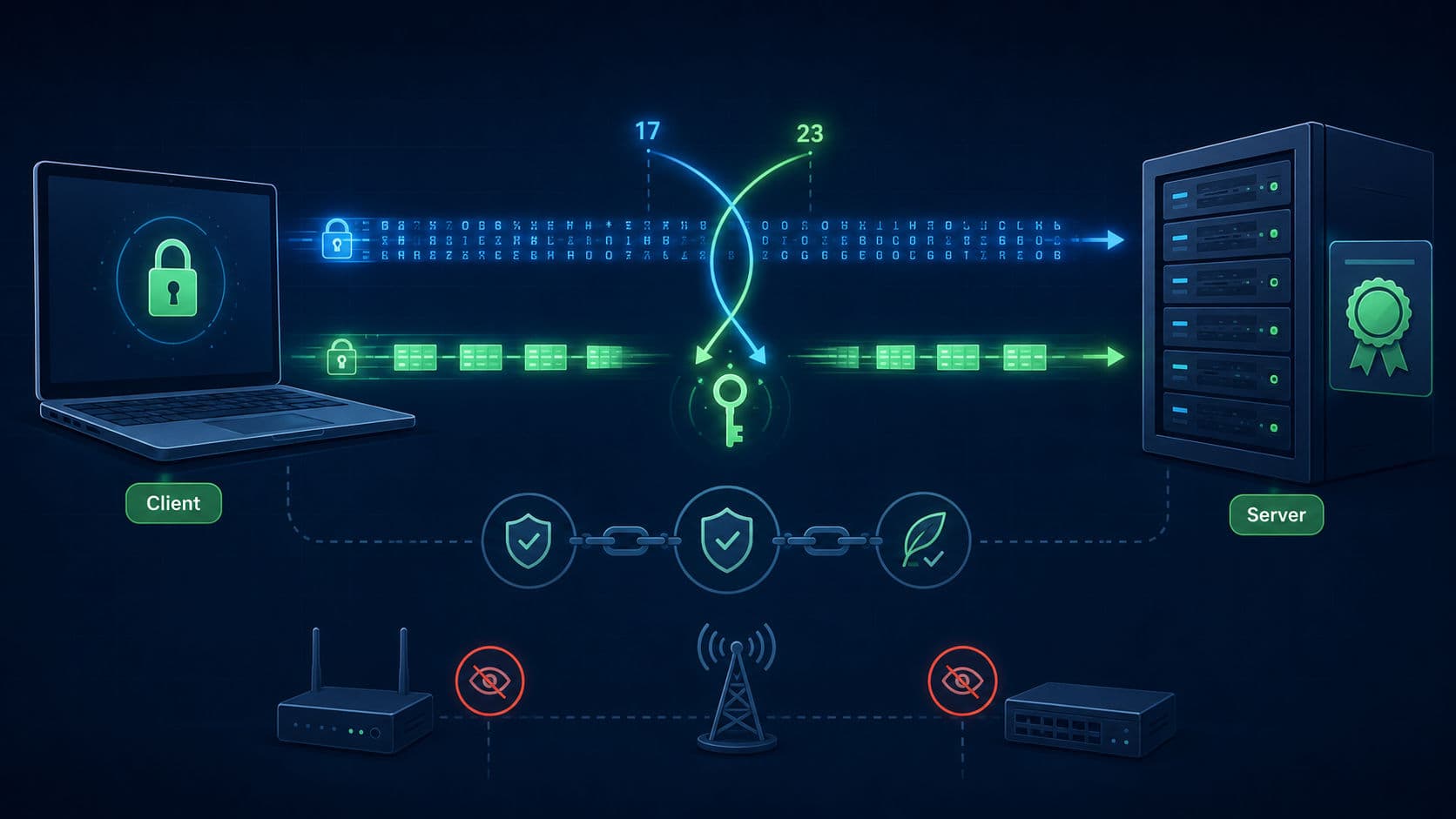
You type your bank's address and hit enter. Seconds later you're logged in — even though your password just traveled through your router, your ISP, and a dozen machines owned by strangers. This post breaks down exactly how TLS pulls that off.
Every one of those hops can see every byte passing through, yet none of them can read your request data. That protection is HTTPS — the S stands for secure, and the security layer underneath is TLS (Transport Layer Security).
Without it, your browser speaks plain HTTP, sending bytes exactly as you wrote them. Log in over plain HTTP in a coffee shop and anyone on the same Wi-Fi can run a free packet sniffer and watch your traffic in readable text: every address you open, your cookies, the whole payload of every request.
The Core Problem: Sharing a Secret Over a Public Wire
The fundamental challenge: your laptop and the bank have never talked before, and every byte between them travels over that same public wire. How do two machines agree on a secret when everyone can listen in?
Symmetric encryption — one key that both locks and unlocks the data — has solved the hiding part for decades. But it only works if both machines hold the exact same key. Your laptop can generate one easily; sharing it is the problem. Send the key in plain text and anyone can grab it. Encrypt the key first and you need another key for that, leaving you with the exact same problem.
Under the hood, HTTP rides on TCP, whose only job is making sure bytes arrive complete and in order — TCP doesn't care about privacy. Encryption happens one layer up in TLS. HTTPS is just regular HTTP wrapped in that secure layer.
How Diffie-Hellman Solves It
In 1976, Whitfield Diffie and Martin Hellman published the breakthrough: compute the key locally on both sides instead of ever sending it through the network. Modern TLS still uses the concept.
Here's the exchange with toy numbers:
- Both machines openly agree on two starting numbers — say 5 and 23.
- Your laptop picks a private number (6), computes 5⁶ mod 23 = 8, and sends the 8 to the server.
- The server picks its own private number (15), computes 5¹⁵ mod 23 = 19, and sends the 19 back.
- Your laptop computes 19⁶ mod 23 = 2.
- The server computes 8¹⁵ mod 23 = 2.
Both machines now hold the same secret — and that secret never traveled over the internet.
💡 The trick: both parties arrive at the identical secret through independent calculations. Only the intermediate, useless-by-themselves numbers cross the wire.
Why can't an attacker just reverse the math? With these toy numbers, they absolutely can — just guess private numbers until one produces the observed remainder. But real keys are hundreds of digits long. Computing powers forward is fast (modern CPUs have shortcuts for it); reversing the modular arithmetic is a one-way function with no efficient formula. Attackers have better algorithms than brute guessing, but even the most powerful computers would need longer than the age of the universe to crack a real key.
Real-world TLS goes further with ECDHE — Elliptic Curve Diffie-Hellman Ephemeral — running the same principle on elliptic curves. The E stands for ephemeral: fresh private numbers for every single connection. Record someone's encrypted traffic today and steal the server's key tomorrow, and the past data stays locked. That property is called forward secrecy.
The Missing Piece: Authentication
So far the exchange is perfectly secure and completely useless. Diffie-Hellman guarantees you share a secret with somebody — it can't tell you who that somebody is.
Back in the coffee shop, an attacker intercepts your connection and runs a flawless key exchange with your laptop, then opens their own connection to the bank and runs a second one there. You encrypt your password with the first secret; the attacker decrypts it, reads it, re-encrypts it with the second secret, and passes it along. The bank sees a normal customer. You see a normal bank. That's a man-in-the-middle attack.
⚠️ Without authentication, key exchange alone is worthless — you'd be securely handing your password straight to the attacker.
The fix: the server must prove its identity with a certificate — a small file carrying the server's public key, the domain name, and a signature from a Certificate Authority. CAs like Let's Encrypt or DigiCert rigorously verify domain ownership before signing: they hand the server a unique token and check it shows up at that address. Let's Encrypt automates the check for free every 90 days.
Your operating system ships with roughly 150 trusted root certificates. When the bank presents its certificate, your browser walks the chain of signatures — bank certificate → intermediate → trusted root — and instantly drops the connection if any signature fails or the domain doesn't match. A man in the middle can still run key exchanges, but forging a valid certificate for the bank is impossible: the real private key never leaves the bank's data center.
The TLS 1.3 Handshake, Step by Step
Trace a real connection using TLS 1.3:
- Client Hello — the browser's first message carries three things: the name of the website it wants, a list of encryption methods it understands, and its public math number (the 8 from our example). Sending the math right away saves a round trip.
- Server Hello — the server answers with its own public number (the 19). From this exact moment, the connection is fully locked down.
- Everything else is encrypted — including the certificate itself.
- Session resumption (0-RTT) — at the end of the first connection, the server hands the browser a session ticket. On the next visit, the browser attaches the ticket to its very first message, both sides skip the certificate check, and the page request goes out immediately.
⚠️ 0-RTT has a catch: an attacker who records that first message can replay it later. Servers only accept early data for safe read-only actions like loading a homepage — anything sensitive (form submissions, transfers) always forces the full round trip first.
The Blind Spot: Domain Names Leak
TLS perfectly protects your request data but doesn't hide where you're going. Anyone snooping the network can't see what you're doing, but can clearly see which website you're visiting.
The reason: before encryption starts, your browser first asks the internet for the bank's IP address, and the very first Client Hello message must state which website it wants to load — at that moment, the secure connection doesn't exist yet.
New protocols are closing this gap right now, hiding the initial IP lookup inside an encrypted channel and securing that first greeting message with Encrypted Client Hello so nobody can even see which site you're asking for.
TLS 1.2 vs TLS 1.3 at a Glance
| Feature | TLS 1.2 | TLS 1.3 |
|---|---|---|
| Handshake round trips | 2 | 1 |
| Forward secrecy | Optional | Mandatory |
| 0-RTT resumption | No | Yes (safe requests only) |
| Certificate transmission | Plain text | Encrypted |
Final Thoughts
- HTTPS is HTTP wrapped in TLS — TCP handles delivery, TLS handles privacy, one layer up.
- Diffie-Hellman computes the secret, never sends it — both sides derive the same key through independent math over a public channel.
- Certificates close the identity gap — the chain of trust from root CA to domain is what kills man-in-the-middle attacks.
- ECDHE gives forward secrecy — ephemeral keys mean stolen future keys can't decrypt past traffic.
- 0-RTT trades a little safety for speed — replay protection limits it to read-only requests.
- The domain name still leaks — ECH and encrypted DNS are actively fixing the last blind spot.
👉 Open your browser dev tools, hit the Security tab on any site you use daily, and inspect the actual certificate chain and TLS version — seeing the handshake pieces above on a real connection makes it stick.
FAQ
How does TLS prevent man-in-the-middle attacks?
TLS uses certificates from trusted Certificate Authorities to authenticate server identity
Browsers verify the certificate chain and reject invalid or self-signed certificates
Without valid authentication, attackers cannot establish trusted connections
What is forward secrecy and why does it matter?
Forward secrecy means each connection uses a unique ephemeral key
Even if a server's private key is compromised, past communications remain secure
This protects you from retrospective decryption of recorded traffic
Why can attackers see which websites I'm visiting?
Traditional TLS exposes the domain name in the initial Client Hello message
This allows network observers to see which sites you're connecting to
New protocols like Encrypted Client Hello (ECH) are addressing this limitation